Home
On-Demand Training
Glossary
New Releases
Name
View dashboard
Profile
Log out
Login ADA Platform
All courses
Overview
Setup
5
Videos
4:47
Videos in this course cover how a user can maneuver through the Setup Module in the ADA Platform
Start course
Summary
Lessons in this course
2:11
Setup Module
The Setup Module empowers admin users to finely control the ADA Platform, allowing them to toggle strategies, customize regulatory term limitations, implement tailored virus standard groups, and adjust payment cycle flow, with the resulting impact cascading across various opportunity metrics, detailed in an upcoming video for a comprehensive exploration.
0:30
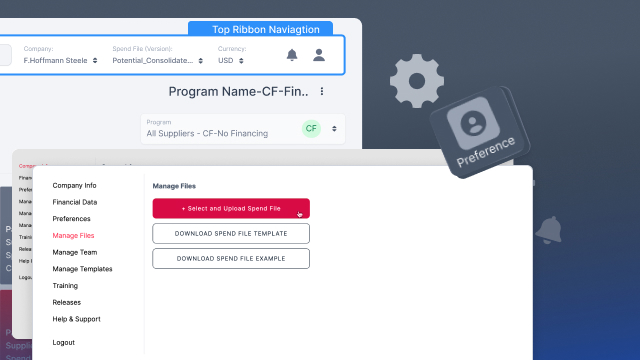
Manage Spend Files
In the "Manage Files" section of the drop-down preferences menu in the ADA Platform, users can conveniently select and upload new spend files for platform viewing, with the option to download the required spend file template containing all necessary information; furthermore, users can access an example file for guidance when uploading new files with suppliers.
0:52
Platform Preferences
In the Preferences section, users can update their account's general information, including email, password, language preference, time zone, currency format, enable automatic logout, choose the default currency for platform viewing, set currency exchange date, and customize notification preferences, with the option to modify these settings at any time.
0:35
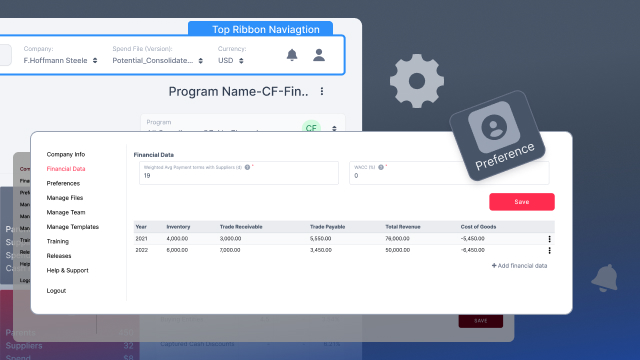
Buyer's Financial Data
In the financial data section of the preferences list, administrators have the ability to modify weighted average payment terms, cost of capital, and key financial metrics such as inventory, receivables, payables, revenue, and cost of goods sold, impacting buyer's financials and metrics across the entire ADA Platform.
0:39
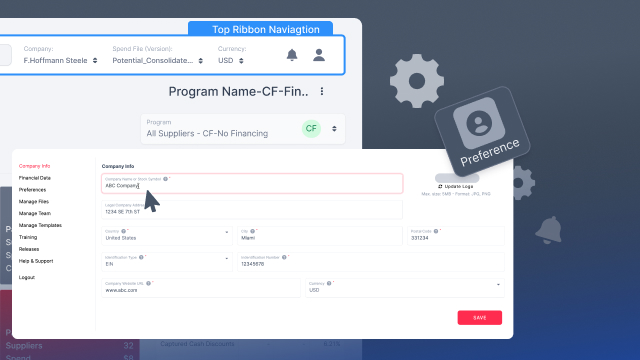
Buyer's Company Info
To access the Company Info page, admins can navigate to Preferences and select Company Info. Within this section, various details such as the company name, logo placement, legal address, country, city, postal code, registration number (which may include tax ID, DUNS, E-I-N, etc.), company URL, and default currency for spend files can be modified. Only users with admin access can modify company data