Platform Preferences
In the Preferences section, users can update their account's general information, including email, password, language preference, time zone, currency format, enable automatic logout, choose the default currency for platform viewing, set currency exchange date, and customize notification preferences, with the option to modify these settings at any time.
Overview of ADA Platform Preferences Section
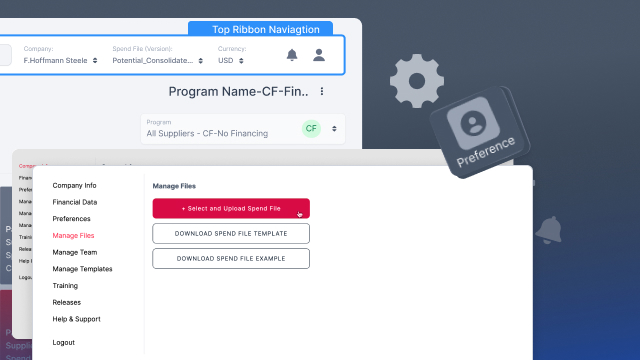
- The video highlights that the Preferences section is third in the list within the ADA Platform, following financial data, providing users with the ability to customize general information related to their account.
Account Information Update within ADA Platform
- Users can update their email address within the Preferences section of the ADA Platform, ensuring that their account information is current and accurate.
Password and Language Preferences in ADA Platform
- The ADA Platform allows users to change their password, enhancing account security, and select their preferred language for a more personalized user experience.
Time Zone and Currency Format Customization in ADA Platform
- Users have the flexibility to set their preferred time zone within the ADA Platform, ensuring that timestamps align with their location.Currency format customization is also available within the ADA Platform, allowing users to tailor the representation of monetary values to their preference.
Automatic Logout Feature in ADA Platform
- The video mentions the option to enable automatic logout within the ADA Platform, enhancing security by automatically logging out users after a specified period of inactivity.
Default Currency Selection in ADA Platform
- Users can pick the default currency in which they would like to view the ADA Platform, providing convenience and ease of use.
Currency Exchange Date Setting in ADA Platform:
- The Preferences section within the ADA Platform allows users to specify the currency exchange date, ensuring that financial information is presented accurately and in alignment with their requirements.
Notification Preferences Customization in ADA Platform
- Users within the ADA Platform can choose their notification preferences, selecting which notifications they prefer to receive and which ones they would like to opt out of.
Default Settings and Modification Options in ADA Platform
- The video emphasizes that these settings are the default configurations within the ADA Platform, and users have the flexibility to change them at any time from the Preferences section.
Save Functionality in ADA Platform
- A crucial reminder is provided to users within the ADA Platform to hit the "Save" button at the bottom after making changes to ensure that their preferences are updated and stored successfully.
User-Friendly Interface of ADA Platform Preferences
- The overall tone suggests that the Preferences section within the ADA Platform offers a user-friendly interface, allowing users to customize their experience on the platform according to their preferences and needs.
0:01 - Preferences is third in the list after financial data. Here's where you can update your general information on your account. So that is your email.
0:10 - You can also change the password to the platform, the language which you would like the platform. From to be presented into you.
0:18 - The time zone which you prefer and also the currency format. You can enable automatic logout. You can pick the default currency you'd like to view the platform in along with the currency date which it will be exchanged.
0:35 - At the bottom you can select which notifications you would prefer to receive and which you would not. These are the default settings and you can change them at any time from the preferences section.
0:47 - Just make sure to hit save. If at the bottom to save your preferences after you're done. You
Up next