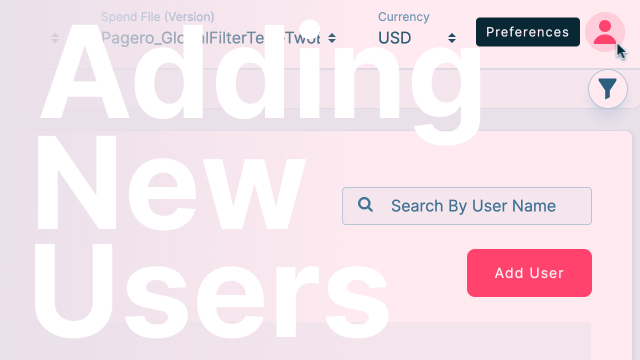
Manage your Team on ADA
In the ADA Platform's "Manage Team" option, administrators can add or revoke user access, entering first name, last name, and work email, assigning to procurement teams, setting module access rights, and ensuring timely acceptance of email invitations, typically within 48 hours, with a reminder to check spam folders for invitation notifications.
Introduction to "Manage Team" Option:
- The video introduces the "Manage Team" option, the next feature in the drop-down preferences menu within the ADA Platform.
User Access Control
- Administrators can efficiently control user access by adding or revoking permissions within the "Manage Team" section.
Adding New Users
- To add a new user, administrators can select "Add User" and provide the individual's first name, last name, and work email.
Team Assignment
- Administrators have the flexibility to assign new users to specific procurement teams, enhancing organization and collaboration within the platform.
Module Access Rights
- Admins can define the modules to which new users will have access rights, allowing for customized permissions based on roles or responsibilities.
Save Functionality
- After configuring user details, teams, and access rights, administrators can save the changes to implement the modifications.
Email Invitation Process
- Once saved, the added user receives an email notification, containing an invitation to join the ADA Platform.
Acceptance Time Frame
- Recipients must accept the invitation within a specified period, typically 48 hours, to ensure timely onboarding.
Invitation Expiration
- If the invitation is not accepted within the designated time frame, it expires, requiring administrators to re-send the invitation.
Reminder to Check Spam Folders
- The video emphasizes the importance of checking spam folders, as email invitations may sometimes land there instead of the inbox.
Efficient User Onboarding
- The "Manage Team" feature facilitates an efficient onboarding process for new users, streamlining access and permissions in accordance with the organization's structure and needs within the ADA Platform.
0:00 - The next option in the drop-down preferences is managed team. This is where the admin can add and revoke access to any users on the platform.
0:09 - just select add user. You enter their first name and last name along with their work email. If you would like to assign them to a specific procurement team you can select here which team if you don't see it you can create a new team.
0:23 - And which modules they'll have access rights the view. Once you're done you hit save and that person will then receive an email notification which they will have to accept the invite within a certain period of time.
0:36 - If not then the invitation expires. I believe it's 48 hours and then you would have to re-invite them. I've seen several times the invitations go to spam so please if you don't see it in your inbox check the spam folder.
Up next