Plan
What is it?
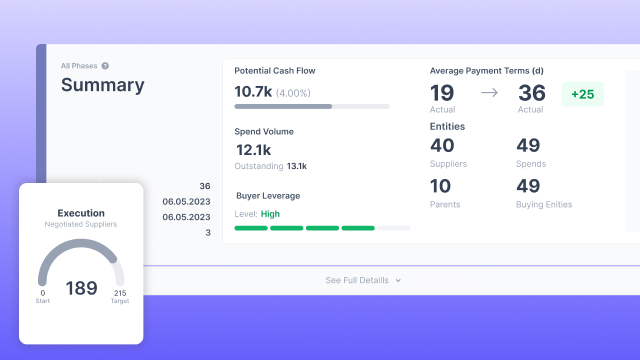
The Plan Overview allows us to see all our Plans based on our spend and suppliers. It allows us to see just the plans created under My Plans and filter the plans based on our bookmarks or the creator/author of the plan.
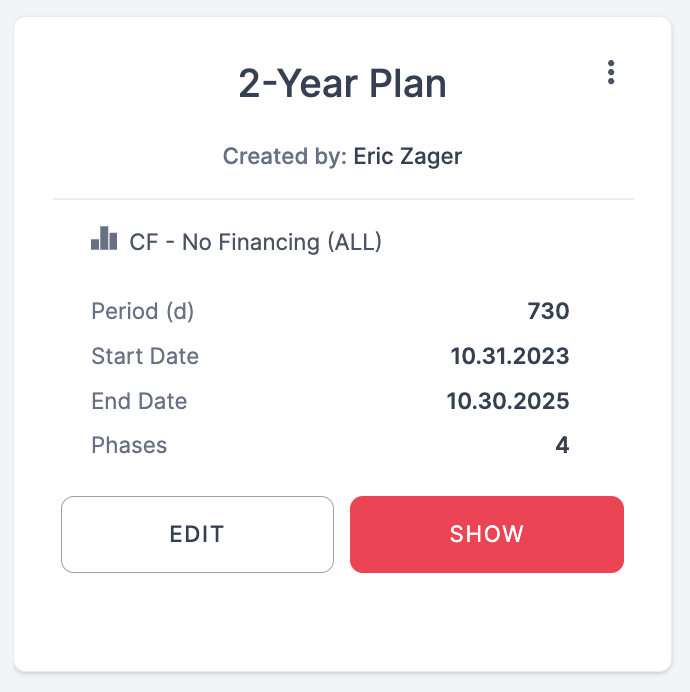
For each plan, you can see the period of the plan as well as the number of phases.
Please note:
When clicking on the 3 dots the user can select the following options:
- Edit - allows you to go to the Edit Mode of your plan with different options available such as setting up new phases.
- Show - allows you to view the plan.
- Bookmark - allows you to bookmark your plan.
- Clone - allows you to copy the plan and create a new one with all the same suppliers and parameters.
- Delete - allows you to remove the plan
Why is it important?
You can create multiple plans to simulate different options. In addition you can create different plans based on your type of suppliers such as strategic vendors or tail suppliers.